


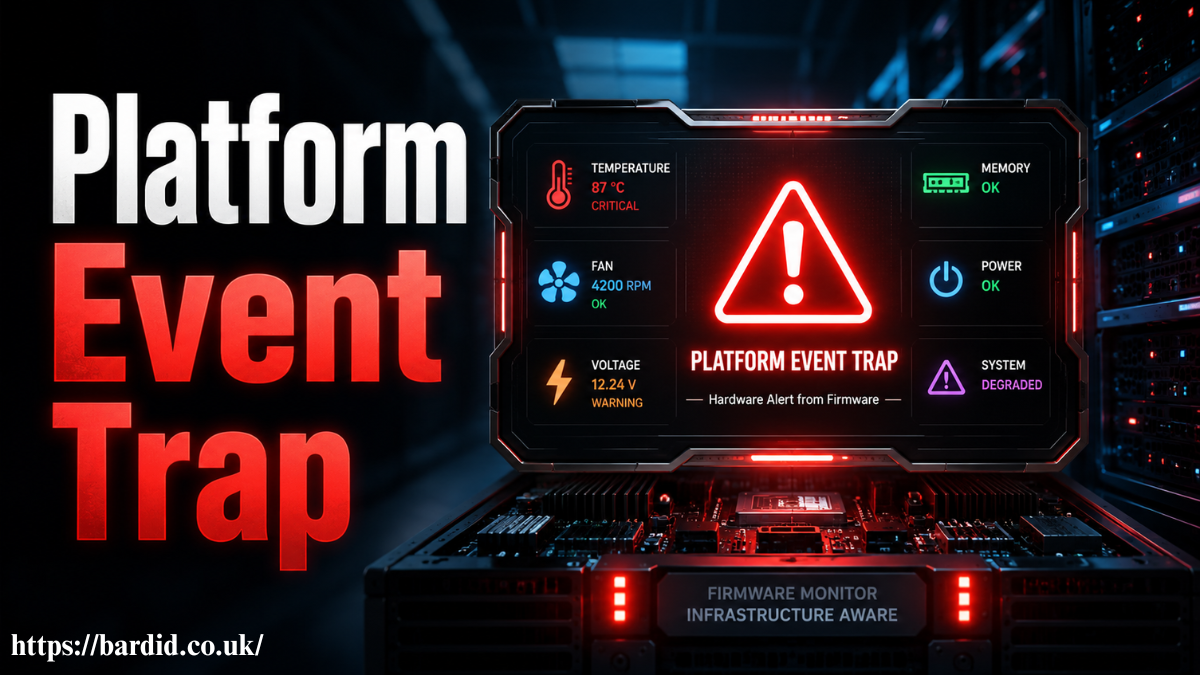
A Platform Event Trap is an SNMP alert generated by platform firmware, hardware, BIOS, BMC, or system sensors when a serious event occurs. In simple terms, it tells administrators that a server, Cisco switch, or platform component has detected a hardware or system-level condition that needs attention.
In the official IPMI context, a platform event can originate directly from firmware or hardware independently of the operating system, and the Platform Event Trap format is used to send that event as an SNMP trap.
What Is a Platform Event Trap in Simple Terms?
A Platform Event Trap, often called PET, is a platform-level alert used to report events such as thermal issues, voltage problems, fan failure, power supply faults, ECC memory errors, watchdog timer events, boot errors, or OS critical stops.
A Platform Event Trap is a hardware-aware notification, not just a normal software log.
The key difference is that PET alerts can come from firmware, BIOS, ASIC, chipset, microcontroller, NIC, system management software, or a Baseboard Management Controller. That makes them valuable when syslog is missing, delayed, or unavailable because the main operating system is down.
From what I’ve seen, many teams first notice the term “Platform Event Trap” inside Cisco platform event trap logs, IPMI monitoring alerts, or a network management system NMS. The alert title looks generic, but the payload may contain the real answer: event severity, sensor type, event offset, entity ID, sensor number, and affected hardware component.
How Platform Event Traps Work in Hardware and IPMI
In hardware and IPMI environments, the Platform Event Trap workflow is simple. A hardware sensor detects a condition, firmware, or the BMC processes that platform firmware event, and the system sends an SNMP notification to a trap receiver or NMS.
A PET alert turns sensor telemetry into an operational warning.
For example, a temperature sensor may cross a thermal threshold inside a rack server. A fan sensor may report failure in a Cisco Catalyst chassis. A voltage sensor may detect an unstable PSU. In each case, the system can generate a platform event trap alert before the issue causes downtime.
In real use, the best value of a Platform Event Trap is early visibility. It gives NOC teams and infrastructure engineers a clue before the server shuts down, the switch reloads, or the system board reports a non-recoverable condition.
Why Cisco Switches and Servers Generate Platform Event Traps
Cisco switches, enterprise servers, and data center platforms generate Platform Event Traps because hardware problems can move faster than traditional logs. If a Cisco switch running IOS XE or NX-OS freezes, the normal syslog path may not capture the failure clearly. A BMC interface, CIMC record, or system event log SEL may still preserve the event.
A Platform Event Trap can explain hardware behavior that syslog does not capture.
Common Cisco and server-related causes include fan tray failure, PSU failure, thermal threshold breach, chassis cooling failure, voltage instability, memory ECC warnings, watchdog timer events, and boot failure. On Cisco Catalyst and Nexus platforms, engineers often correlate PET alerts with show logging, show environment all, CIMC hardware logs, NMS alerts, and SNMP trap details.
A common mistake is assuming the device is healthy just because it came back online. A rebooted switch may hide the original issue, while the Platform Event Trap may still point to overheating, power fluctuation, or a failing hardware module.
Platform Event Trap vs SNMP Trap vs Syslog
| Item | Main Meaning | Source | Best Use |
| Platform Event Trap | Hardware or firmware-level platform alert | BIOS, BMC, firmware, ASIC, microcontroller, system sensors | Detecting physical or platform-level faults |
| SNMP Trap | General network notification | Device operating system or agent | Reporting interface, routing, hardware, or system events |
| Syslog | Text-based system log | Operating system, application, or network OS | Reviewing software behavior and event history |
| CI/CD Platform Event Trap | Security automation control | Pipeline event, pull request, dependency update, config change | Blocking unsafe development activity |
A Platform Event Trap is more specific than a generic SNMP trap because it focuses on platform-level events. Syslog is useful for history, but PET is useful for hardware telemetry and survivable alerting.
Common Causes of Platform Event Trap Alerts
Most Platform Event Trap alerts come from sensor threshold changes. These may include temperature, voltage, current, fan, power supply, memory, system board, processor, watchdog, boot, LAN, chassis, or entity presence events.
A hardware sensor threshold alert means a monitored component crossed a defined state or safety limit.
For a real platform event trap example, a power supply may report predictive failure before it fully dies. A fan may report degraded cooling before the chassis overheats. Memory ECC may show correctable errors before a larger memory failure appears. A watchdog timer may expire when the system becomes unresponsive.
In CI/CD, the same phrase is now used in a different way. A CI/CD platform event trap can react to a pull request, merge request, dependency update, exposed secret, hardcoded token, insecure Dockerfile, or tampered GitHub Actions workflow. This is where security automation guardrails protect pipeline integrity monitoring.
How to Decode Platform Event Trap Codes and Severity
To decode a Platform Event Trap, look beyond the alert title. The important fields are usually sensor type, event type, event offset, event severity code, entity ID, sensor device, sensor number, variable bindings, local timestamp, manufacturer ID, and system ID.
Decoding PET fields turns a vague alert into a repair decision.
If the event severity is critical or non-recoverable, treat it as urgent. If it is informational or non-critical, still check whether the condition is repeating. Repeated warnings often show a developing hardware fault.
For Cisco platform event trap logs, also compare the PET alert with show environment all, show logging, CIMC records, SEL entries, and current hardware readings. If the NMS shows unreadable OIDs, update the relevant MIB, such as Cisco entity sensor MIB support, and confirm SNMPv3 settings.
Real-World Troubleshooting Workflow for Platform Event Trap Alerts
From what I’ve seen, the best troubleshooting workflow starts with correlation, not replacement. First, confirm the timestamp of the Platform Event Trap. Then compare it with syslog, SEL, BMC hardware monitoring, CIMC, NMS alerts, power events, cooling incidents, and recent maintenance changes.
A single PET alert is a signal; repeated PET alerts are a pattern.
In real use, network engineers investigate PET alerts by checking whether the event is active, cleared, or recurring. If the alert points to a fan, inspect airflow and fan tray health. If it points to voltage, check the PSU, power feed, and facility power. If it points to memory ECC, monitor recurrence and plan hardware replacement if errors continue.
This tested workflow prevents overreaction while still protecting uptime. It also gives NOC teams a simple incident response runbook instead of forcing them to guess from a vague platform warning.
Mistakes and Risks When Ignoring Platform Event Traps
The biggest mistake is treating Platform Event Trap monitoring as noise. Some alerts are noisy, especially during scheduled maintenance, but many PET alerts are early warnings of downtime.
Ignoring hardware telemetry increases the chance of surprise outages.
Other risks include using outdated MIB files, relying only on syslog, failing to check BMC or SEL records, not deduplicating alert storms, ignoring correctable ECC memory warnings, suppressing alerts without a maintenance window, and using insecure SNMPv1 or SNMPv2 community strings.
Platform event filters PEF can help reduce false positives, but filtering should not hide critical conditions. Good monitoring reduces alert fatigue without removing the signals that matter.
Platform Event Trap in CI/CD Security Workflows
What competitors often miss is that “Platform Event Trap” now has two search meanings. The traditional meaning is IPMI platform event trap monitoring. The newer meaning appears in DevSecOps, where event traps act as security guardrails inside CI/CD pipelines.
In CI/CD, a platform event trap reacts to a workflow event before unsafe code moves forward.
For example, a GitHub Actions workflow may trigger a scan when a pull request adds a vulnerable package. GitLab CI may fail a build when a hardcoded token is found. Bitbucket Pipelines may block a merge when a Dockerfile includes unsafe shell execution. Tools such as Xygeni connect this idea with AutoFix, reachability analysis, dependency guardrails, secret detection, and pipeline integrity.
This gives the topic a useful 2026 angle because platform event monitoring is no longer only about switches and servers. It is also about software supply chain security.
Best Practices for Monitoring and Filtering Platform Event Traps
The best Platform Event Trap monitoring strategy combines SNMP monitoring, BMC hardware monitoring, syslog correlation, MIB updates, alert deduplication, and clear escalation rules.
A good PET monitoring setup should explain the event, severity, affected component, and next action.
Use SNMPv3 where possible, keep MIB files updated, map event severity to incident priority, suppress only planned maintenance noise, and document what engineers should check first. For Cisco environments, connect NMS alerts with Cisco switch commands, CIMC, SEL, and hardware inventory records.
For content distribution, this topic works across blogs, video, and social. A blog can cover the full IPMI and Cisco workflow. A short video can explain Platform Event Trap versus syslog. A LinkedIn post can show a real NOC checklist for reducing SNMP trap noise.
Is Platform Event Trap Monitoring Worth It?
Yes, Platform Event Trap monitoring is worth it for enterprise servers, Cisco switches, data centers, NOC teams, DevOps teams, and any environment where downtime is expensive.
If downtime matters, Platform Event Trap monitoring is a reliability control, not an optional extra.
For small environments, basic hardware monitoring may be enough. For production infrastructure, PET alerts should be part of incident response, capacity planning, hardware lifecycle management, and platform reliability workflows.
Future of Platform Event Traps in 2026
In 2026, Platform Event Trap monitoring is becoming more intelligent. AI Ops tools can connect PET alerts with syslog, power events, cooling data, firmware changes, and network incidents. In CI/CD, event traps are becoming more developer-friendly through AutoFix, policy-as-code, reachability analysis, and reduced false positives.
The future of event traps is not more alerts; it is a better context.
The strongest 2026 content strategy is to explain both meanings clearly. Platform Event Trap remains a core IPMI, SNMP, firmware, BMC, Cisco, and hardware telemetry concept. At the same time, CI/CD platform event trap workflows now connect the term with DevSecOps, security automation, and pipeline integrity.
Conclusion
A Platform Event Trap is an important alert that helps teams detect platform-level problems before they become outages. In hardware environments, it connects IPMI, SNMP, BMC, BIOS, firmware, system sensors, Cisco switch monitoring, SEL records, and NMS workflows. In modern CI/CD environments, it also describes event-driven security controls that block unsafe commits, vulnerable dependencies, exposed secrets, and risky pipeline changes.
Platform Event Trap monitoring is most valuable when teams decode the alert, correlate it with real system data, and act before the failure becomes visible to users.
You May Also Like Timing Advance Processor
FAQs
1. Is a Platform Event Trap always a sign of hardware failure?
No, a Platform Event Trap is not always a confirmed hardware failure, but it should never be ignored. It can also appear during threshold changes, firmware activity, maintenance, or sensor state transitions, so the hidden risk is assuming it is harmless without checking the event severity and affected component.
2. Should I avoid devices or systems that generate Platform Event Trap alerts?
No, you should not avoid them just because they generate Platform Event Trap alerts. In fact, systems that report PET alerts often provide better hardware visibility, but you should avoid environments where these alerts are not monitored, decoded, or tied to a clear response workflow.
3. Can a Platform Event Trap happen even when the operating system is down?
Yes, a Platform Event Trap can happen even if the operating system is down or unstable. That is one of its biggest advantages because firmware, BMC, BIOS, or hardware-level monitoring may still report critical events when syslog or application logs cannot.
4. What happens if I keep ignoring Platform Event Trap warnings?
Ignoring Platform Event Trap warnings can lead to repeated outages, sudden reboots, hardware degradation, or missed early signs of failure. Long term, small warnings like fan instability, voltage drift, or correctable ECC memory errors can become critical incidents.
5. Why do people confuse Platform Event Trap with normal SNMP traps or syslog?
People confuse them because all three can appear inside monitoring tools as system alerts. The key difference is that a Platform Event Trap is usually tied to platform firmware or hardware sensors, while syslog depends more on the operating system, and normal SNMP traps can cover many general device events.
