


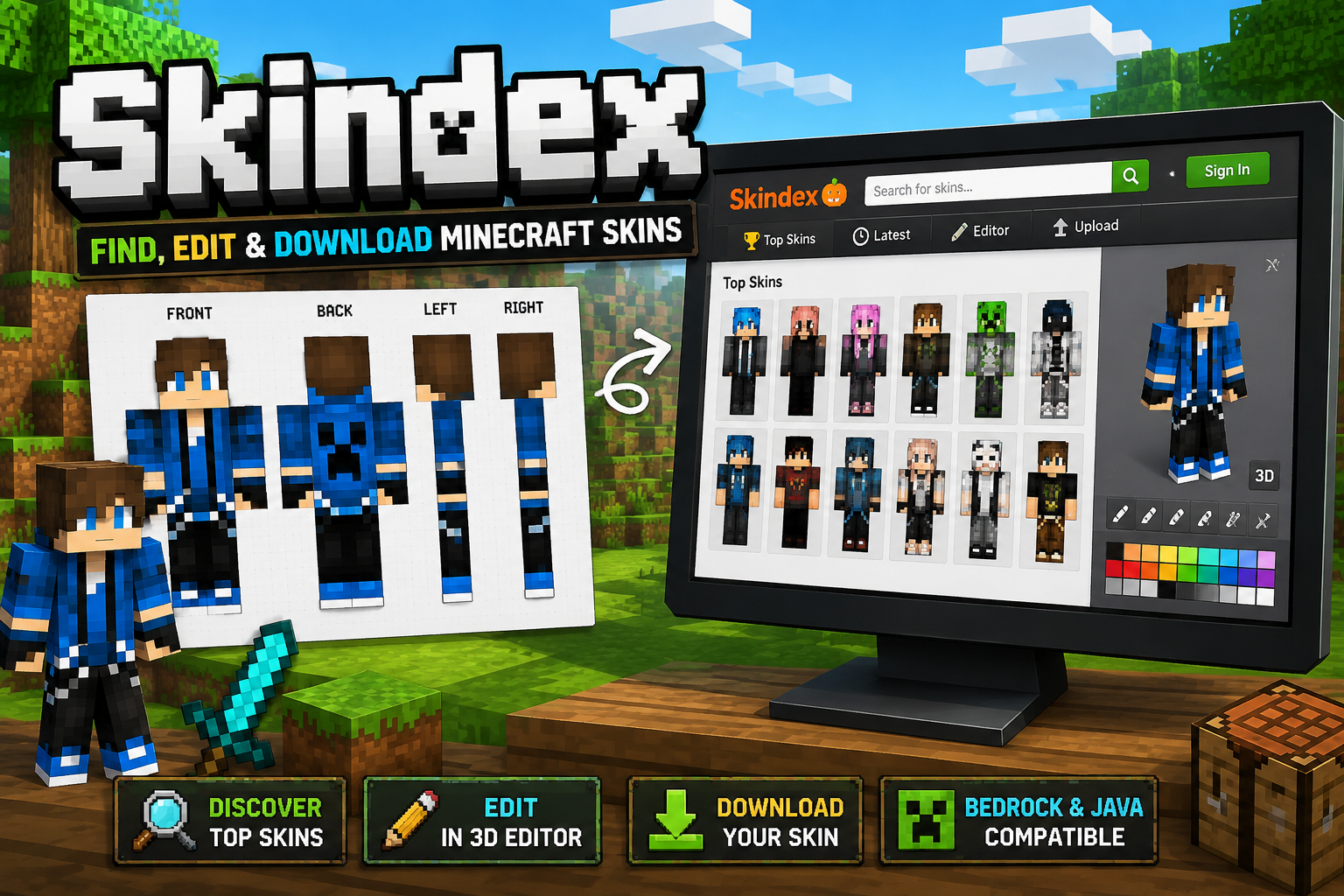
Skindex: What It Is, How It Works & How to Use Minecraft Skins
The Skindex is a community website where Minecraft players can find, create, edit, upload, and share custom skins. It is not an official Minecraft or Mojang website.
The important part is what happens after you find a skin. Whether you can use it, and how you install it, depends on your Minecraft edition and platform.
The Skindex currently identifies itself as an independent, community-driven Minecraft skin platform. Its website includes a skin library, editor, upload tools, and a Skin Grabber.
What Is Skindex?
Skindex is a community platform for Minecraft skins.
A Minecraft skin is the visual texture wrapped around your player character. It changes how your character looks without changing the underlying gameplay. Minecraft itself describes skins as custom appearances for your in-game character.
On The Skindex, players can browse a large collection of community-created skins and use the site’s tools to work with them.
The current site provides options including:
- Browsing popular and recent skins
- Searching for Minecraft skins
- Editing skins
- Uploading skins
- Downloading skins
- Using the Skin Grabber
- Sharing community-created skins
The site’s homepage currently describes its library as containing millions of Minecraft skins.
That makes Skindex useful when you want something more specific than the standard Minecraft characters or want inspiration for designing your own skin.
Is Skindex Official Minecraft?
No.
The Skindex explicitly states that it is not an official Minecraft product and is not endorsed by Mojang or Microsoft. It operates independently from Minecraft and its developers.
This distinction matters because there are two separate things involved:
| Skindex | Minecraft |
|---|---|
| Community website | Official game |
| Hosts community-created skins | Provides the game and its own skin systems |
| Independent of Mojang/Microsoft | Developed by Mojang Studios |
| Useful for discovering and creating skins | Determines how skins can be equipped on each platform |
So if a page describes Skindex as the “official Minecraft skin website,” that description is incorrect.
For official Minecraft information, use Minecraft’s own website and support resources rather than relying on a third-party skin site.
What Can You Do on Skindex?
Find a Minecraft skin
The simplest use is browsing skins created and uploaded by other players.
The current site has sections for top skins, latest skins and recently commented skins, so you can either search for something specific or browse for ideas.
You may find skins based on:
- Original character designs
- Fantasy characters
- Animals
- Gaming references
- Superheroes
- Seasonal themes
- Simple colour schemes
- Meme or pop-culture designs
Because these are community submissions, quality and originality can vary.
A skin having many views or likes does not automatically mean it is the best choice for you. Check the actual skin preview and make sure it has the model style you need.
Create or edit a skin
Skindex also has a browser-based skin editor.
The editor provides tools for working directly on the Minecraft skin rather than requiring you to paint every pixel in a separate image editor.
This is particularly useful if you find a skin that is close to what you want but needs changes.
For example, you might:
- Start with an existing design.
- Change the colours.
- Modify clothing or accessories.
- Adjust details on the character.
- Download the finished skin.
- Import it into Minecraft where your edition and platform support custom skin imports.
Remember that editing someone else’s work and then publishing it as your own can raise attribution or copyright issues. If you intend to redistribute a modified skin, check the relevant permissions rather than assuming every community upload can be reused freely.
How to Download a Skin From Skindex
The basic process is straightforward.
- Find a skin you want to use.
- Open its individual skin page.
- Use the site’s Download function.
- Save the skin image to your device.
- Import that image through the appropriate Minecraft skin settings.
A Minecraft skin is an image rather than an executable program. For Java Edition, Minecraft’s official instructions specifically describe importing a flat PNG skin file.
That distinction is useful when assessing downloads: a normal skin image is fundamentally different from downloading an installer, executable, mod, or other program.
Still, you should pay attention to where you click. A third-party website can contain advertising, redirects, or links unrelated to the skin itself.
How to Use a Skindex Skin in Minecraft Java Edition
For Minecraft: Java Edition, the official Minecraft process is:
- Open the Minecraft Launcher.
- Select Minecraft: Java Edition.
- Open the Skins tab.
- Select New Skin.
- Give the skin a name.
- Choose the appropriate model type: Classic/Wide or Slim.
- Select the downloaded PNG file.
- Upload it.
- Choose Save and Use.
Minecraft’s official guide confirms that Java Edition accepts a flat, unwrapped PNG skin and allows you to select either the Classic/Wide or Slim model.
Why does the skin look wrong?
One of the most common problems is choosing the wrong player model.
Minecraft has different arm configurations. The classic model has wider arms, while the slim model uses thinner arms. Minecraft’s documentation specifically highlights this distinction.
If the skin looks distorted, has misplaced arms, or does not appear as expected, check:
- Whether you downloaded the correct skin file.
- Whether the skin uses the correct model.
- Whether the PNG is intact.
- Whether you selected Classic/Wide or Slim correctly.
- Whether you are actually playing Java Edition.
What About Minecraft Bedrock Edition?
This is where many Skindex guides become misleading.
Java Edition and Bedrock Edition do not have identical skin workflows.
Minecraft’s official documentation explains that Bedrock uses its Dressing Room and character-customization system, including Marketplace content.
Minecraft also states that custom skins can be imported on many Bedrock platforms, but the exact availability depends on the platform.
That means you should not assume that a skin downloaded from Skindex can be imported in exactly the same way on:
- Windows
- Mobile
- Xbox
- PlayStation
- Nintendo Switch
- Other Bedrock-supported devices
If you are using Bedrock and cannot find an import option, check the current skin/Dressing Room options for your specific platform rather than following an old Java tutorial.
This is one reason the phrase “Skindex works on Minecraft” is too vague. The skin file and Minecraft’s ability to import that file are separate issues.
Is Skindex Safe?
There is no responsible basis for reducing this question to a simple “yes” or “no.”
The Skindex is a third-party community website, not an official Minecraft service. Its current site makes that status clear.
There have also been community reports about unwanted redirects and suspicious advertising behaviour. For example, a 2024 Planet Minecraft discussion described users encountering unexpected redirects while browsing or downloading from Skindex. Other participants reported similar experiences, while some suggested that people might have been visiting a different or unofficial site. These are user reports, not proof that Skindex itself distributes malware.
That distinction is important.
A sensible way to use Skindex
If you decide to use the site:
- Make sure you are on the intended Skindex domain.
- Prefer the site’s actual skin-download function rather than unrelated advertising.
- Do not install a program just to obtain a Minecraft skin.
- Do not enter your Microsoft account password into a third-party skin page.
- Treat unexpected redirects as a reason to leave the page.
- Keep your browser and security software up to date.
- Be cautious about downloading anything that is not simply the skin image you expected.
A legitimate Minecraft skin does not need an .exe, .msi, .apk, browser extension, or “special downloader” simply to give you the skin image.
Skindex vs Minecraft Marketplace
Which option makes more sense depends on what you want.
| If you want… | Better fit |
|---|---|
| A large community collection of custom skins | Skindex |
| Free community-created designs | Skindex |
| To experiment with skin creation | Skindex |
| Official Minecraft ecosystem | Minecraft Marketplace |
| Marketplace skin packs and official in-game purchasing | Minecraft Marketplace |
| A skin you can find through Minecraft’s own interface | Minecraft Marketplace |
The Minecraft Marketplace is part of the official Minecraft ecosystem and includes skin packs and other content.
Skindex serves a different purpose: it is an independent community resource focused heavily on individual custom skins.
Neither option is automatically “better.” The right choice depends on whether you value community-created variety and editing or official in-game content and integration.
Common Skindex Problems
“I downloaded the skin but Minecraft won’t use it.”
First check which edition you are playing.
If you are on Java Edition, confirm that:
- The file is a PNG.
- You selected the correct model type.
- The file is actually a Minecraft skin rather than a preview image.
If you are on Bedrock, check whether your particular platform currently supports importing custom skins.
“The skin looks strange.”
The model type may be wrong.
Try checking whether the skin was designed for the Classic/Wide or Slim model before importing it.
“The download sent me somewhere else.”
Do not continue through an unexpected page just because you clicked a download button.
Close the unwanted page and return to the actual skin page. Do not install anything offered by a suspicious redirect.
“I found two different Skindex websites.”
Be careful.
The name “Skindex” is not itself proof that a website is operated by the same organization. The established site discussed in this article is MinecraftSkins.com, which currently identifies itself as The Skindex and states that it is an independent service.
When a search result takes you to another domain, check the site’s ownership and identity before assuming it is the same service.
Should You Use Skindex?
If your goal is simply to find a Minecraft skin, Skindex can be a useful community resource.
If your goal is to make your own skin, its editor gives you another reason to use it.
If your priority is official Minecraft content, the Minecraft Marketplace is the more direct option.
The biggest mistake is treating Skindex and Minecraft as if they were the same service. They are not.
Skindex provides community-created skin resources. Minecraft determines what those skins can actually do in the game, and the process depends on the edition and platform you use.
The practical takeaway
Use Skindex to discover or create a skin; use Minecraft’s own skin system to put it into the game.
Before downloading anything, verify the website, download only what you actually need, and check whether your Minecraft edition and device support custom skin imports.
That approach answers the real problem behind a Skindex search: not merely “What is it?” but “Can I use it, how do I use it, and what should I watch out for?”
Read About: Wyvernity: Enchantment+ and Minecraft Datapacks
FAQs
Is Skindex free?
The Skindex provides community-created Minecraft skins and currently offers browsing and skin-editing functionality. Individual features and site behaviour can change, so check the current site for the specific action you want to perform.
Is Skindex owned by Minecraft?
No. The Skindex explicitly says it is independent and is not endorsed by or affiliated with Mojang or Microsoft.
Can I use Skindex skins in Minecraft?
Yes, where your Minecraft edition and platform support the relevant custom-skin import. Java Edition officially supports importing a PNG skin through the launcher. Bedrock’s capabilities vary by platform.
Does Skindex work with Minecraft Java?
Yes. Java Edition supports importing a PNG skin, and Minecraft’s official instructions explain how to select the Classic/Wide or Slim model.
Can you make a Minecraft skin on Skindex?
Yes. The Skindex currently provides a browser-based Minecraft Skin Editor.
Is every skin on Skindex safe or original?
No third-party community platform should be treated as a guarantee that every user submission is original or that every external link is safe. Use the site’s own download functions, avoid suspicious redirects or executable downloads, and respect creators’ rights when reusing their work.
