
Wyvernity: Minecraft Datapacks, Enchantment+ and Soul Orbs
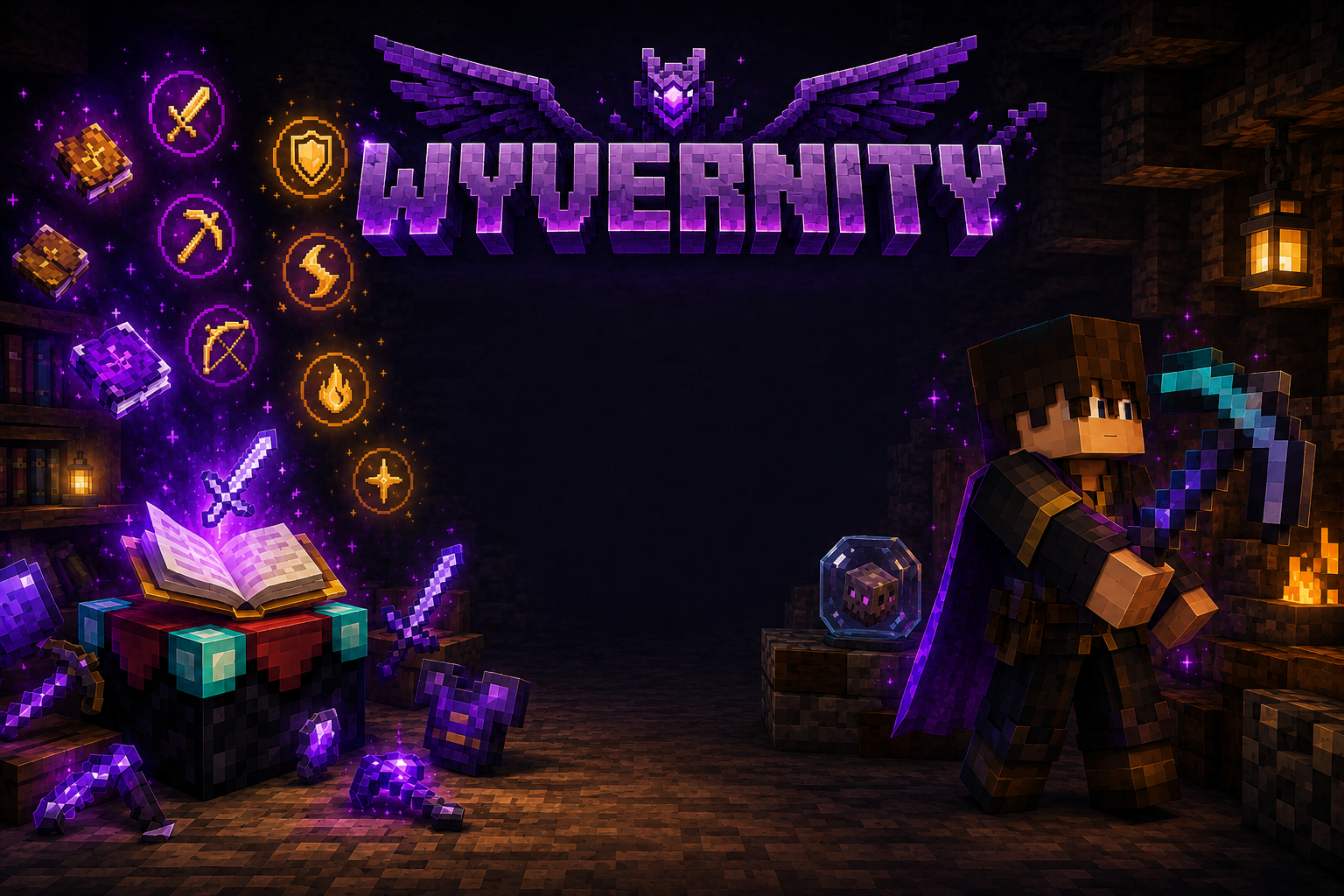
Wyvernity is a Minecraft custom-content creator best known for Enchantment+, a Java Edition data pack that adds more than 65 enchantments, increases the potential levels of vanilla enchantments, and introduces new utility items. The creator also maintains Simple Paxels, while older projects such as Soul Orbs, Storage+, Champions, and Void Miners are discontinued.
The most important detail is compatibility. As of July 2026, Enchantment+ and Simple Paxels support newer Minecraft Java releases, including 26.2. Soul Orbs remains listed for Minecraft 1.20.4 and should not be treated as a current 1.21 or 26.x data pack.
What Is Wyvernity?
Wyvernity is an independent creator who develops Minecraft data packs, resource packs, and survival-focused gameplay additions.
The name refers to the creator, not a Minecraft mob, fantasy species, mod loader, server, or official Mojang feature.
Most Wyvernity projects try to expand the vanilla game without requiring a large traditional modpack. They add custom systems through Minecraft’s data-pack framework and use a related resource pack for item models, textures, interfaces, and other visual elements.
Is Wyvernity a mod creator?
Wyvernity is primarily known as a data-pack creator rather than a conventional mod developer.
A traditional Minecraft mod may require Fabric, Forge, NeoForge, or another mod loader. A data pack is installed directly inside a world’s datapacks folder and uses systems already supported by Minecraft Java Edition.
This distinction matters because a player searching for a Forge or Fabric mod may download the wrong type of file or place it in the wrong folder.
Wyvernity’s main projects generally require:
- A compatible Minecraft Java Edition release
- The data-pack ZIP file
- The matching resource pack
- A world or server that supports the features used by the pack
Which Minecraft edition is supported?
The current Wyvernity projects are presented for Minecraft Java Edition.
They should not be assumed to work with Minecraft Bedrock Edition. Bedrock add-ons use a different structure and are not interchangeable with Java data packs.
Players should also pay attention to Minecraft’s newer version names. Minecraft Java Edition moved into year-based version numbering, so 26.2 is an official 2026 release, not a typo for 1.26.2.
Which Wyvernity Projects Are Still Active?
Wyvernity has created numerous Minecraft projects, but only some remain maintained for newer releases.
As of July 2026, the two key active projects are:
- Enchantment+
- Simple Paxels
A shared resource pack provides the required textures and models for both.
Enchantment+
Enchantment+ is Wyvernity’s largest and best-known project. It changes how enchanting works by adding custom enchantments, new enchantment categories, higher potential levels for vanilla enchantments, and items that give players more control over their equipment.
The current listing supports Minecraft Java Edition versions from 1.16 through 26.2, but features differ significantly between old and new releases.
An old file should not be expected to offer the same systems as the latest version. Modern releases use newer Minecraft features that did not exist in 1.20.1 and earlier versions.
Simple Paxels
Simple Paxels adds combined tools that can perform the jobs of a pickaxe, axe, shovel, and hoe.
Instead of carrying several separate tools, a player can keep one paxel in the hotbar and switch its active tool mode when needed.
The pack includes:
- Wooden, stone, iron, golden, diamond, and netherite paxels
- Three times the durability of the corresponding standard tool
- Switchable right-click behavior
- Recipes available through the in-game recipe book
- Compatibility with Enchantment+
When the paxel is in axe mode, it can strip logs. Shovel mode creates paths, while hoe mode tills soil. Pickaxe mode does not need a special right-click action.
Players must crouch while switching tool modes in the current release. This prevents normal offhand interactions from being interrupted.
Wyvernity’s resource-pack textures
The matching resource pack is essential for the intended experience.
Enchantment+ may run without it, but custom textures can be missing. Simple Paxels relies more heavily on the resource pack because item names and models may not appear correctly without it.
Use a resource-pack version that matches the installed data-pack and Minecraft versions. Combining a new data pack with an outdated resource pack can produce missing models, incorrect textures, or placeholder-looking items.
What Does Enchantment+ Add?
Enchantment+ is not simply a larger list of weapon bonuses. It expands combat, movement, mining, exploration, item maintenance, and survival progression.
Its current feature set includes more than 65 custom enchantments, higher vanilla enchantment limits, special enchantment types, and utility tomes.
More than 65 custom enchantments
The pack includes enchantments for weapons, armor, tools, bows, tridents, and movement.
Examples include:
- Air Burst: Allows an additional jump in the air.
- Bouncing: Causes the wearer to bounce after contacting a surface.
- Dashing: Adds a directional dash with a cooldown.
- Hero’s Landing: Prevents fall damage.
- Lumberjack: Breaks connected parts of a tree after a log is mined.
- Ore Excavation: Breaks connected ore blocks of the same type.
- Vampiric Bite: Provides a chance to recover health when attacking.
- Eyes of Owl: Grants night vision.
- Feeding Module: Uses available food to feed the player automatically.
- Thermal Plating: Grants fire resistance when the required armor set is enchanted.
- Block Reach: Extends the distance at which blocks can be reached.
- Entity Reach: Extends the player’s interaction range with entities.
Some enchantments provide straightforward convenience. Others change combat balance or create strong trade-offs.
That makes the pack better suited to a custom survival world than a server trying to preserve completely vanilla progression.
Higher vanilla enchantment levels
Enchantment+ can raise supported vanilla enchantments beyond their normal limits, with some reaching level 10.
This can make equipment significantly stronger than standard survival gear. Server owners should consider this before adding the pack to an established economy or competitive world.
Older pack versions handled higher enchantment levels through different custom systems. For example, some old releases required a special table and guide obtained through a wandering trader.
The current pack takes advantage of newer data-driven enchantment features, so instructions written for an old Minecraft version may no longer apply.
Masterwork enchantments
Masterwork enchantments are rare, powerful effects intended to feel more valuable than ordinary enchantments.
They can be obtained through the enchanting process, with the chance influenced by how many items the player has previously enchanted. Their names appear in gold, helping players distinguish them from regular enchantments.
These effects may feel overpowered in a lightly modified world. That is intentional, but it also means world owners should decide whether this level of progression suits their preferred difficulty.
Sacrificial enchantments
Sacrificial enchantments grant a strong advantage alongside a serious disadvantage.
For example, an enchantment may improve damage, movement, or another ability while reducing armor, draining health, or imposing another cost.
Unlike ordinary unwanted enchantments, Sacrificial enchantments cannot simply be removed after they have been applied. Players should read the effect carefully before committing it to valuable equipment.
Tomes and utility features
Enchantment+ includes tomes that give players more control over existing equipment.
These include tools for:
- Removing enchantments
- Performing more precise disenchantment
- Repairing damaged items
- Resetting an item’s repair cost
Recipes become available after obtaining a normal book, and librarian villagers may also offer tome-related trades.
The latest versions include an in-game guide. Players can open the Quick Actions interface, which uses the G key by default, to review available information rather than relying on instructions written for older versions.
Is Soul Orbs Still Available?
Soul Orbs is one of Wyvernity’s most recognised older projects, but it is officially discontinued.
The final listed release is associated with Minecraft 1.20.4. It should not be installed in a Minecraft 1.21 or 26.x world with the expectation that it will work correctly.
What did Soul Orbs do?
Soul Orbs added a custom item that could capture a mob and release it in another location.
The captured item preserved useful information about the mob, including details such as:
- Mob type
- Health
- Custom name
- Age
- Owner, where relevant
- Variant or colour
- Carried items
- Collar information
- Special states, such as a charged creeper
- Other mob-specific data
This made the pack useful for moving villagers, transporting rare animals, preserving unusual mob variants, and relocating creatures without building long transport routes.
The visual design also gave players a more thematic alternative to boats, minecarts, leads, or commands.
Why does Soul Orbs not support newer releases?
Minecraft 1.21 introduced technical changes that made a straightforward update impractical. The creator explained that a newer release would require a substantial rewrite rather than a small compatibility patch.
That rewrite has not been published, and the project remains marked as discontinued.
Players looking for Soul Orbs on a newer version should avoid placing the old 1.20.4 file into an important world. A pack may appear in the data-pack menu while still failing to provide its intended items, trades, commands, or interactions.
Other discontinued Wyvernity projects
Wyvernity’s older catalogue also includes discontinued projects such as:
- Champions
- Storage+
- Void Miners
- Mining Laser
- Dislocators
- Reservoirs
- All Alone
Discontinued does not mean the files never worked. It means they are no longer maintained for current Minecraft releases.
An older project may still be suitable for a world deliberately running its original supported version. It is not a safe choice for a modern world without clear confirmation of compatibility.
How to Install Wyvernity Datapacks
Always install the data-pack release that matches your exact Minecraft Java version.
Create a backup before changing an existing world, especially when adding a pack that affects enchantments, custom items, loot, recipes, or player equipment.
Single-player installation
Follow these steps:
- Download the correct data-pack ZIP file from the creator’s official project listing.
- Download the matching resource pack.
- Open Minecraft Java Edition.
- Select Singleplayer.
- Select the world and choose Edit.
- Choose Open World Folder.
- Open the
datapacksfolder. - Place the downloaded data-pack ZIP file in that folder.
- Start or reload the world.
- Enable the matching resource pack through Minecraft’s resource-pack menu.
Keep the data pack as a ZIP file unless its official instructions specifically say otherwise.
After loading the world, check for the pack’s advancement, recipes, guide interface, custom items, or other activation signs.
Installing on a server
For a Java server, the data-pack file normally belongs in the active world’s datapacks folder.
Before installing it:
- Confirm the server’s exact Minecraft version.
- Back up the world.
- Check whether the server uses vanilla software or a modified platform.
- Make sure every player has access to the required resource pack.
- Test the pack in a separate world before adding it to a live server.
Enchantment+ is not supported on Minecraft Realms because its custom enchantments use experimental functionality that Realms does not support.
Paper, Spigot, and similar server platforms may also behave differently from a vanilla server. The creator has not guaranteed compatibility with every third-party server implementation.
Removing Enchantment+ correctly
Do not begin by deleting the ZIP file while the pack’s custom data remains active.
Run the following command first:
/function enchantmentplus:uninstall
After the uninstall function finishes, remove the data-pack file from the world.
Create a backup before removal, particularly if players own equipment using custom enchantments.
Problems People Face With Wyvernity Packs
Most reported problems are caused by version differences, missing resource packs, unsupported platforms, or expectations based on an older tutorial.
Missing textures, names, or item models
Likely cause: The resource pack is missing, disabled, outdated, or does not match the data-pack version.
Practical fix:
- Confirm that the resource pack belongs to the same release.
- Enable it in Minecraft’s resource-pack settings.
- Reload resources or restart the game.
- Remove conflicting old copies from the active resource-pack list.
- Test the pack in a fresh world.
For Simple Paxels, missing names and models are a strong sign that the required resource pack is not active.
The data pack loads, but nothing seems different
Some Enchantment+ features are not immediately placed in the player’s inventory.
Custom enchantments may appear through enchanting, loot, fishing, mob drops, or villager trades. Utility recipes may unlock after the player obtains a book.
Open the in-game guide through Quick Actions before assuming the pack failed.
Also run Minecraft’s data-pack list command to confirm that the pack is enabled. A pack can exist in the folder without loading successfully if its format does not match the game version.
An old tutorial shows different mechanics
Enchantment+ has changed substantially across its lifetime.
An older tutorial may show:
- A custom enchanting table
- A guide book
- Different wandering-trader items
- Old recipes
- Removed enchantments
- Previous commands
- A menu that no longer exists
Use instructions written for your installed pack version. Current Enchantment+ releases rely on systems that were not available in older Minecraft versions.
New features do not work on Minecraft 1.20 or early 1.21
Many new Enchantment+ features cannot be copied directly into old releases because they depend on newer Minecraft systems.
Installing an older pack version gives you the feature set available at that time. It does not provide the latest enchantments with old-game compatibility.
Choose between upgrading the world or accepting the limitations of the older release. Mixing files from different versions is likely to create more problems.
Enchantment+ does not work on a Realm
This is an expected limitation rather than a normal installation error.
The current custom-enchantment system uses experimental features that are not supported on Realms. Moving the pack between folders or repeatedly reloading the Realm will not remove that platform restriction.
A compatible self-hosted or third-party Java server is a more appropriate option, but modified server software should still be tested separately.
A netherite paxel still looks like a diamond paxel
Switch the paxel’s tool mode once.
The pack notes that upgrading a diamond paxel to netherite may not update its appearance immediately. Changing its mode triggers the required update.
An enchantment will not apply to a paxel
Change the paxel to the matching tool mode before applying the enchantment.
For example, an enchantment intended for an axe may require the paxel to be in axe mode. This allows Minecraft to recognise the correct tool behaviour during the application process.
Wyvernity Is Not a Wyvern or an OSRS Monster
The name creates an unusual SEO problem because several high-volume searches look similar but have completely different meanings.
A wyvern is a dragon-like legendary creature. In British heraldry, it is commonly shown with two legs and two wings, while a traditional heraldic dragon has four legs and two wings. Fantasy games and books do not always follow that distinction.
Searches for wyverns are therefore usually about mythology, heraldry, fantasy fiction, games, or creature design. The duplicated query “wyvern wyvern” is also a generic creature search rather than a recognised alternative name for the Minecraft creator.
Queries such as “wyvern vs dragon” and “dragon vs wyvern” ask about the traditional difference between those creatures. They are not searches for Enchantment+, Simple Paxels, or Soul Orbs.
The same distinction applies to RuneScape-related searches:
- “skeletal wyvern OSRS” and “OSRS skeletal wyvern” refer to level-72 Slayer monsters in Old School RuneScape.
- “fossil island wyverns OSRS” and “OSRS fossil island wyverns” refer to living wyvern variants encountered through Fossil Island Slayer content.
Those monsters are unrelated to Wyvernity.
Keeping these topics separate helps readers reach the correct answer quickly. A person looking for Minecraft custom enchantments should not have to read an OSRS combat guide, while a RuneScape player does not need Minecraft data-pack installation instructions.
Is a Wyvernity Datapack Right for Your World?
Wyvernity’s current packs are a strong fit for players who want a more varied survival experience without installing a full modpack.
Enchantment+ may suit you when:
- You want more equipment progression.
- Vanilla enchanting feels too limited or repetitive.
- You enjoy unusual combat and movement effects.
- You want mining and survival conveniences.
- You accept equipment that can become stronger than vanilla gear.
- You are using a supported Java Edition world or compatible server.
Simple Paxels may suit you when:
- You want to reduce hotbar clutter.
- You regularly switch between mining, chopping, digging, and farming.
- You prefer one upgrade path instead of maintaining several tools.
- You are willing to use the required resource pack.
Avoid or delay installation when:
- Your world is hosted on Realms.
- You use Minecraft Bedrock Edition.
- Your server software has not been tested with the pack.
- You need strict vanilla balance.
- You are unwilling to back up the world.
- You cannot obtain the exact files for your Minecraft version.
- You are trying to run discontinued Soul Orbs on Minecraft 1.21 or 26.x.
The Practical Takeaway
Wyvernity is a Minecraft Java Edition custom-content creator, not a fantasy creature or an OSRS monster. The current catalogue is led by Enchantment+, which adds more than 65 enchantments and a deeper equipment system, and Simple Paxels, which combines several tool functions into one item.
Soul Orbs remains an interesting part of the creator’s history, but its final listed release is for Minecraft 1.20.4 and the project is discontinued.
Before adding any Wyvernity data pack, match the pack to your exact game version, install its corresponding resource pack, back up the world, and verify that your server platform supports the required features.
Frequently Asked Questions
Is Wyvernity a Minecraft mod?
Wyvernity is a Minecraft creator rather than one individual mod. The creator is mainly known for Java Edition data packs and related resource-pack content.
Is Enchantment+ still being updated?
Yes. Enchantment+ was updated for Minecraft Java Edition 26.2 in June 2026 and remains one of Wyvernity’s active projects.
Does Enchantment+ work on Minecraft Realms?
No. The current project warning states that its experimental custom enchantments are not supported on Realms.
Does Soul Orbs work on Minecraft 1.21 or 26.2?
No supported release is currently listed for those versions. Soul Orbs is discontinued, and its final listed version is associated with Minecraft 1.20.4.
Is the Wyvernity resource pack required?
It is strongly recommended for Enchantment+ and required for Simple Paxels to display the intended names, textures, and item models correctly.
Can Enchantment+ and Simple Paxels be used together?
Yes. The creator has confirmed that the current data packs can work together, provided both match the installed Minecraft version.
Is Wyvernity related to Skeletal Wyverns in OSRS?
No. Skeletal Wyverns and Fossil Island wyverns are Old School RuneScape monsters. Wyvernity is the name of a Minecraft custom-content creator.
You May Also Like: Amaangameworld Explained: Features, Uses & Trust
