


A Pokémon Platinum ROM is a digital copy of the original Nintendo DS game card. It normally appears as an .nds file and requires a Nintendo DS emulator when used on a computer, phone, or another supported device.
You should only use game data obtained through a lawful method. Once you have a permitted backup, install an emulator from its official source, import the .nds file, and test the normal in-game save before starting a long playthrough. You should also avoid any supposed game file delivered as an .exe, unknown .apk, or browser extension.
What Is a Pokémon Platinum ROM?
Pokémon Platinum Version is a role-playing game developed by Game Freak for the Nintendo DS. It builds on Pokémon Diamond and Pearl by adding the Distortion World, Giratina’s Origin Forme, an expanded regional Pokédex, new characters, and the Battle Frontier.
The original game was stored on a physical Nintendo DS card. A ROM contains a digital image of the data found on that card. It does not run by itself, so you need compatible hardware or emulation software to read it.
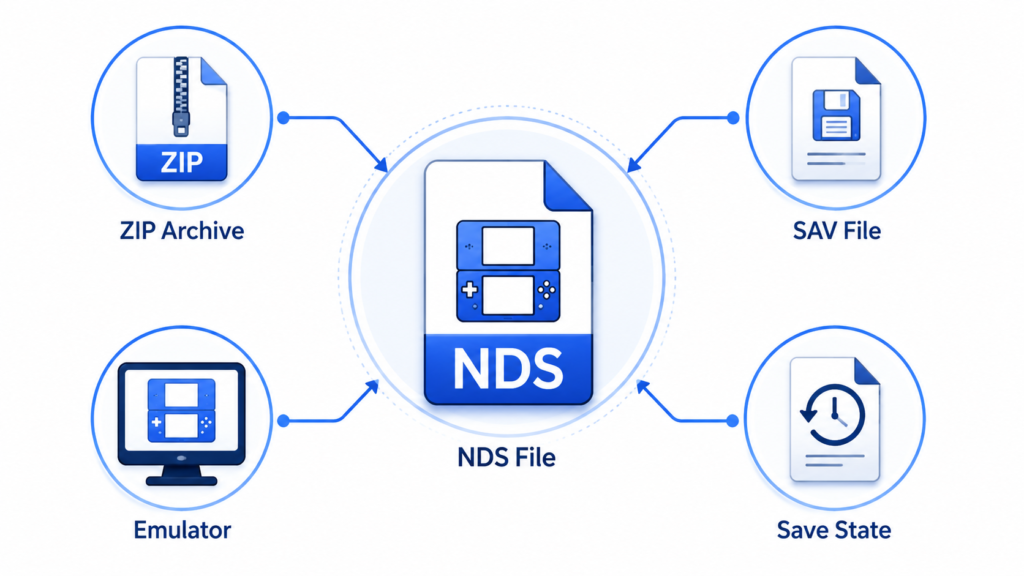
A few file types commonly appear around Nintendo DS emulation:
.ndscontains the Nintendo DS game data..zipand.7zare compressed archives that may contain an.ndsfile..savcontains progress created through the game’s normal save menu..dsvis a save format commonly associated with DeSmuME..srmmay appear when using certain RetroArch cores.- Save-state files capture an exact moment inside an emulator.
A save file cannot replace the game file. If you try to open a .sav or .dsv file as a game, the emulator will not recognize it.
Original Pokémon Platinum Versus ROM Hacks
The original ROM contains the standard game released for Nintendo DS. A ROM hack changes that game by editing its difficulty, available Pokémon, trainer teams, trade evolutions, story, or visual elements.
Renegade Platinum, for example, is a modified experience rather than the original game. A save made for standard Pokémon Platinum may not work correctly with a ROM hack.
Always check the exact game and revision before moving an existing save. Keep an untouched backup if you plan to apply any modification.
Is a Pokémon Platinum ROM Legal?
Nintendo states that uploading or downloading an unauthorized copy of one of its games is illegal. Owning an original cartridge does not automatically make it legal to download a copy uploaded by another person. You can read the company’s position in its official Intellectual Property and Piracy FAQ.
Rules for creating personal backups can differ between countries. Some locations allow limited backups under specific conditions, while others restrict the methods used to create them. Check the laws that apply in your location.
Lawful options may include:
- Playing a genuine cartridge on compatible Nintendo DS hardware
- Buying an authentic used copy from a reliable seller
- Creating a personal backup from your own cartridge where permitted
- Keeping that backup for personal use instead of distributing it
Be careful when buying used cartridges. Counterfeit Pokémon Platinum cards are common and may suffer from missing saves, poor internal memory, incorrect labels, or communication problems.
Choosing an Emulator for Pokémon Platinum
The right emulator depends on your operating system and the features you need. Always use the emulator’s official website, app-store listing, or verified project repository.
| Platform | Official resource | Suitable for |
|---|---|---|
| Windows, macOS and Linux | melonDS | Current desktop emulation and supported communication features |
| Desktop computers | DeSmuME | Existing DeSmuME saves and basic Nintendo DS emulation |
| iPhone and iPad | Delta | Mobile controls, save states and Nintendo DS support |
| Multiple platforms | RetroArch melonDS DS Core | Experienced users who prefer configurable emulator cores |
Features can change after an update. Check the official documentation for current information about operating-system support, BIOS requirements, multiplayer, and save compatibility.
Some emulators require Nintendo DS BIOS or firmware files for specific functions. For example, Delta explains its current requirements in the official Nintendo DS BIOS guide. If these files are needed, obtain them lawfully from hardware you own.
How to Use a Lawfully Obtained Pokémon Platinum Backup
The menu names can vary between emulators, but the main setup process remains similar.
1. Install a Trusted Emulator
Select an emulator that supports your device. Download it from the developer’s official source instead of a third-party page that adds its own installer.
Reject any offers for extra browser tools, download managers, search extensions, or unrelated applications.
2. Check the Game Format
The extracted game image should normally end in .nds. If your personal backup is inside a .zip or .7z archive, you may need to extract it before importing it.
Enable full file extensions in your operating system. This can reveal misleading filenames such as:
Pokemon-Platinum.nds.exe
Despite containing “.nds” in its name, this example is an executable program rather than a standard Nintendo DS game image.
3. Import the Game
Open your emulator and find its Import, Open, or Load Game option. Navigate to the folder where you saved the .nds file and select it.
Some emulators automatically add imported games to a library. Others require you to select the file whenever you want to play.
Delta users can follow its official Importing Games guide to understand the app’s import process.
4. Set Up the DS Screens and Controls
The Nintendo DS has two screens, and its lower screen supports touch input. Choose a layout that keeps both screens clear without making the main display too small.
You can usually adjust:
- Screen size and position
- Keyboard or controller buttons
- Touchscreen input
- Display resolution
- Audio volume
- Fast-forward speed
Start with the default graphics settings. Higher resolution, filters, and shaders can be added after you confirm that the game runs properly.
5. Test and Back Up Your Save
Create a normal save through the Pokémon Platinum menu. Close the emulator fully, open it again, and confirm that the Continue option appears.
Once the test works, copy the save file to a separate folder or cloud account. This backup can protect your progress if an update, setting change, or device transfer causes a problem.
How to Check Whether a File Is Safe
A familiar Pokémon name does not prove that a file is safe. Some websites use popular games to hide unwanted software or misleading advertisements.
Leave the page if you notice these warning signs:
- The game is provided as an
.exe,.msi,.dmg, or suspicious.apk. - The website asks you to disable antivirus protection.
- A browser extension is required to complete the download.
- Several download buttons send you to different domains.
- The archive requires an unknown installer.
- The file contains unrelated applications.
- Payment information is requested for “human verification.”
- The real file extension is hidden.
Scan files using updated security software before opening them. File size alone cannot confirm safety or authenticity.
Some pages advertise a download size of around 48 MB. This may describe a compressed archive rather than the extracted game image, so you should not use that number as proof that a file is genuine.
Problems People Face With Pokémon Platinum ROMs
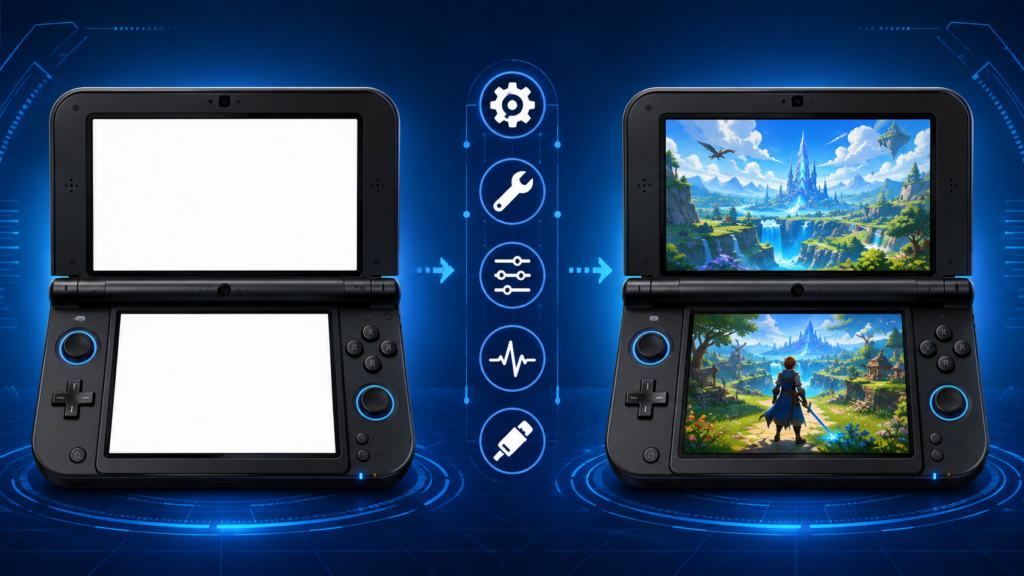
The Game Opens to a White or Black Screen
Confirm that you selected the extracted .nds file instead of its archive or save file. Update the emulator through its official source and restore the default graphics settings.
If the emulator needs BIOS or firmware data, confirm that the correct files are present. A damaged or incorrectly modified game image can also prevent the game from starting.
Sound Plays but the Picture Is Missing
This usually points to a display or graphics-renderer problem. Disable filters, shaders, high-resolution scaling, and experimental visual options.
Switch to another renderer supported by the emulator, restart the application, and confirm that neither DS screen is hidden by the selected layout.
The Emulator Cannot Find the Game
The game may still be inside an archive that your emulator cannot open. Extract the .nds file with a trusted archive tool and import that file directly.
Also check the extension. A .sav, .dsv, or save-state file contains progress rather than the complete game.
Pokémon Platinum Shows a Communication Error
Communication errors may result from incompatible firmware, an outdated emulator core, a damaged save, or an unsuccessful file transfer.
Back up the save before making changes. Load the game from its normal in-game save rather than an older save state. If the error started after an update, review the emulator’s release notes for changes affecting firmware or save formats.
The Game Runs Slowly
Return the resolution to its original setting and turn off demanding visual effects. Close background applications and test another supported renderer.
Fast-forward can also cause unstable audio or uneven speed on weaker devices. Test the game at normal speed before changing more settings.
Protecting and Moving Your Save
A normal in-game save is usually easier to transfer than an emulator save state. Save states often depend on a particular emulator, core, and software version.
Before moving your progress:
- Save through the Pokémon Platinum menu.
- Close the emulator.
- Copy the original save to a secure folder.
- Check which extension the new emulator expects.
- Match the save filename with the game filename.
- Import a copy and keep the original unchanged.
Do not rename .sav, .dsv, or .srm extensions without checking the receiving emulator’s instructions. Changing the extension does not automatically convert the data.
RetroArch users should read its melonDS DS migration instructions before switching cores. The guide explains that save extensions may need adjustment and that older save states may not remain compatible.
Delta has also documented cases where Nintendo DS save states became incompatible after a core update. Its Incompatible Save States guide explains why normal in-game saves are safer for long-term progress.
Trading and Online Features
Nintendo ended the original Nintendo Wi-Fi Connection service on May 20, 2014. This affected online play, matchmaking, the Global Trade Station, Mystery Gifts, and other online Nintendo DS features. The details are available in Nintendo’s official Wi-Fi Connection discontinuation notice.
Some current emulators offer local wireless functions or support community-hosted online services. Availability depends on the emulator, platform, version, and network configuration.
Certain desktop setups may allow two emulator instances to trade between separate saves. However, this does not work on every mobile emulator or RetroArch core.
Delta currently documents community-hosted Nintendo DS connectivity in its Online Multiplayer guide. These services are community-operated and should not be confused with Nintendo’s discontinued official network.
If you want Pokémon that evolve through trading, check multiplayer support before investing many hours in your playthrough. This will help you avoid a difficult save transfer later.
What Makes Pokémon Platinum Worth Playing?
Pokémon Platinum is often remembered as the most complete version of the original Sinnoh adventure. Its expanded Pokédex gives players more team options than Diamond and Pearl, while the Distortion World adds a unique location to the main story.
The Battle Frontier also provides five different battle facilities after the Pokémon League. These challenges give experienced players more reasons to continue building and improving their teams.
The game still uses older battle animations and Nintendo DS controls. However, flexible screen layouts, fast-forward options, and reliable save backups can make it more comfortable on current devices.
Frequently Asked Questions
Does Pokémon Platinum require BIOS files?
It depends on the emulator and the features you want to use. Check the emulator’s official setup guide and obtain any required system data lawfully from hardware you own.
What does “Pokémon Platinum Rev 1” mean?
“Rev 1” normally identifies a revised release of the original game. Small internal differences may affect patches, file verification, and save compatibility.
Can I use a normal Platinum save with Renegade Platinum?
It is not recommended. Renegade Platinum changes the original game, so a standard save may produce errors or unexpected results.
Can I change emulators without restarting the game?
Usually, you can transfer a normal in-game save if both emulators support compatible formats. Save states rarely transfer reliably between different emulators.
Why is an archive smaller than the extracted game?
Compression removes repeated data patterns to reduce storage size. The archive becomes larger when its .nds file is extracted.
Is It Safe to Use Fast-Forward?
Fast-forward is generally an emulator feature rather than a game modification. Save normally before using it heavily because very high speed can cause unstable performance on weaker devices.
Can I Play Pokémon Platinum in a Web Browser?
Browser-based emulators exist, but they may have weak save protection, intrusive advertisements, or limited privacy controls. A trusted emulator installed from an official source usually provides better file and save management.
You May Also Like: Wyvernity: Enchantment+ and Minecraft Datapacks
